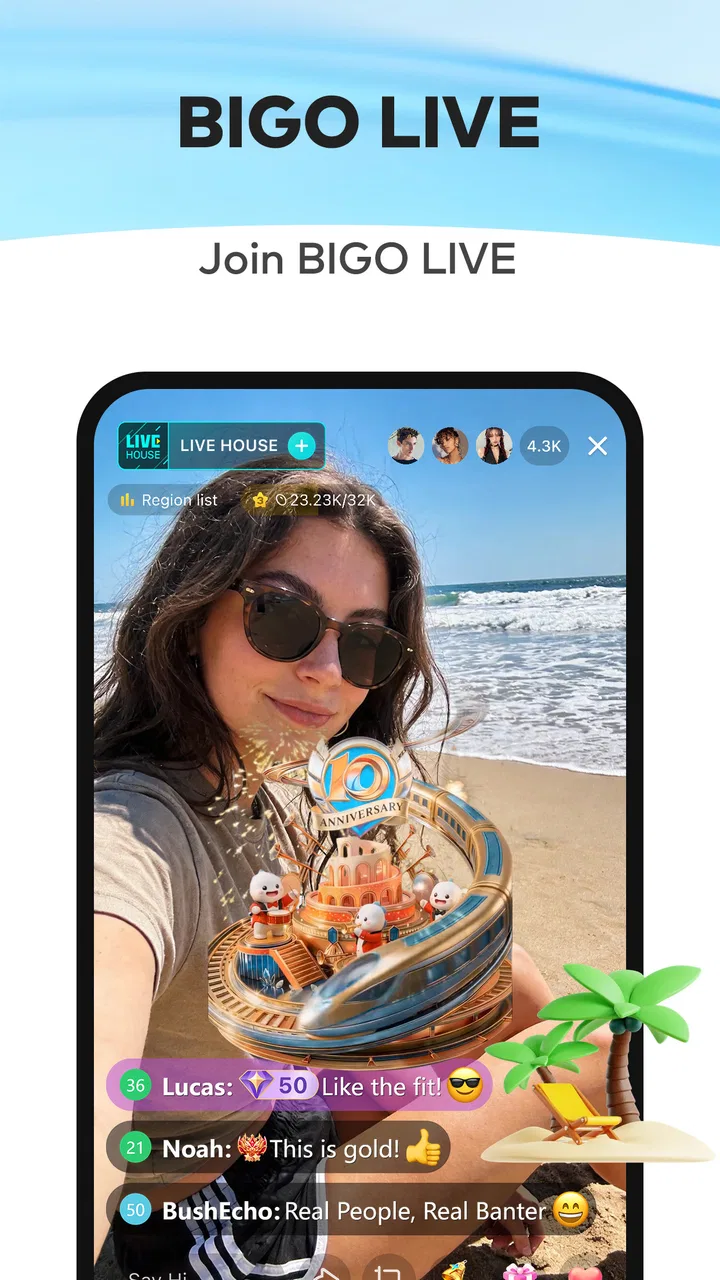
Bigo Live - Live Streaming App
- 4.5
- Rating
- 500.00M
- Installs
- Free
- Price

 Analysis by App-foxy
I approached Bigo Live as a social app first and a live-video platform second, paying attention not only to what it lets people do, but also to how comfortable it feels in different everyday situations. The basic idea is easy to understand: browse live broadcasts, interact with hosts, and start your own stream when you want to be seen and heard. That simplicity is part of its appeal, although the busy nature of live social media can also create friction.
Developed by Bigo Technology Pte. Ltd., the app is free to install and is rated for Teen users. It has become a very large social platform, with over 500 million installs and a 4.5 average from around 6.4 million ratings. Those figures suggest that it has reached a broad audience, but popularity does not automatically make an app comfortable for every person. My experience is that Bigo Live works best when you already know what kind of interaction you want and are prepared to manage a fast-moving stream of content.
How Bigo Live feels to use in different situations
I find Bigo Live works best when I match it to the moment rather than opening it automatically. A short visit to watch one host can feel like a lively break, while browsing without a purpose can become tiring quickly. The sections that follow look at how that balance changes with different routines, and what helps the app remain useful beyond its first burst of novelty.
In-Depth Coverage of Bigo Live - Live Streaming App
Readability and navigation during a busy session
The first thing I noticed is that Bigo Live is built around immediate discovery. You can open it and begin looking through live content without having to understand a complicated workflow. That is helpful for someone who wants casual entertainment, background conversation, or a quick look at what other people are broadcasting. The central live-streaming purpose is visible quickly, which is more approachable than an app that hides its main feature behind several menus.
At the same time, a live platform naturally presents a lot of information at once. Moving images, usernames, comments, interaction controls, and broadcast changes compete for attention. I found that the app is easier to use when I treat it as two separate activities: passive viewing and active participation. Browsing is relatively straightforward, while following a conversation, checking details, and deciding whether to respond requires more concentration.
For readers who prefer a calm, predictable interface, this is an important distinction. Bigo Live is not designed like a quiet reading app. Its appeal comes from immediacy, and that means the screen can feel visually and socially crowded. I would recommend starting with short sessions, learning where the viewing and broadcasting controls are, and only then exploring more interactive areas.
A useful habit is to decide what you want before opening the app. If I want music, conversation, or a particular kind of creator, I search with that purpose in mind rather than endlessly scrolling. This reduces the amount of visual movement and makes the experience feel less random. It also helps users who become tired when they have to process many changing choices.
The current version is 6.43.2, and it requires Android 6.0 or later. That broad system requirement makes the app available to people using older Android devices, although availability on an older phone does not guarantee a smooth experience. Live video places more pressure on a device than a simple messaging application, so a phone with limited performance may feel less responsive when several elements update at once.
Motor and sensory considerations
Live broadcasting asks for more than tapping through a feed. Watching can be relatively passive, but joining a conversation, sending reactions, typing comments, or starting a broadcast involves repeated touch actions and quick decisions. For someone with limited dexterity, the most demanding part may not be opening a stream; it may be keeping up with the pace of interaction without accidental taps.
I would approach the app differently depending on the goal. If I only want to watch, I can keep my hands mostly still and focus on one broadcast. If I want to participate, I need more deliberate control. Preparing the phone on a stable surface, using a larger device when possible, and avoiding rushed interaction can make a noticeable practical difference. These are simple adjustments, but they matter because live content encourages fast responses.
Visual sensitivity is another consideration. The combination of moving video, changing comments, and social prompts may be tiring for people who are sensitive to motion or visual clutter. I found that choosing one stream and avoiding constant browsing creates a calmer experience than treating the home screen as an endless carousel. The app is more manageable when I use it intentionally instead of allowing every new visual element to compete for attention.
Audio can also shape the experience. A live broadcast may be useful for someone who prefers listening over reading, but sound levels and speaking styles vary from one host to another. In a noisy place, spoken content can become difficult to follow; in a quiet place, unexpected audio can be uncomfortable. I would check the phone’s volume before opening a stream and use headphones only when they are safe and practical for the surroundings.
People who communicate more comfortably through text may prefer watching and commenting rather than appearing on camera. That is one of the better aspects of a live social service: participation does not have to mean broadcasting yourself. However, text interaction can move quickly, so someone who needs more time to compose a message may find the conversation has already changed by the time they are ready to send it.
You May Also Like

 AccuWeather: Weather Radar
AccuWeather Review: A Quick, Clear Forecast for Everyday Decisions
For everyday plans, the best forecast is the one you can understand quickly. AccuWeather makes rain timing, radar, and local conditions easy to act on, with a few trade-offs.

 Hill Climb Racing
Why Hill Climb Racing Still Turns Crashes Into One More Run
A tiny car, a bumpy hill and one more upgrade: Hill Climb Racing keeps resurfacing because its simple chaos makes every near-miss feel personal.

 AliExpress - Shopping App
AliExpress Makes Global Shopping Feel Personal, but Shoppers Bear the Risk
AliExpress turns a global marketplace into a pocket-sized discovery engine. Its reach is useful, its shopping loop compelling, and its trade-offs easy to miss.

 Lords Mobile: Kingdom Wars
Lords Mobile Is a Kingdom-Building Routine, Not a Quick Match
A case-by-case verdict on the building, battles, device demands, and social commitments that make Lords Mobile rewarding for some players and exhausting for others.

 PDF Scanner app - TapScanner
TapScanner Makes Paperwork Easier to Capture, Check, and Share
TapScanner makes scanning with a phone feel less like a rescue operation and more like a dependable step in getting work done. Its capture tools are useful, though not flawless.

 Block Blast!
Block Blast! Shows How Much a Puzzle Game Can Leave Out
A quiet grid game shows why puzzle players increasingly value instant clarity, repeatable skill and low-pressure play—and where the genre still needs to catch up.
More From Our News Desk
View All News


For creators, the physical and sensory demands are greater. Going live means managing the camera view, speaking, monitoring the audience, and maintaining attention at the same time. I would not treat that as a casual one-tap activity if concentration, speech, hearing, or hand control is a concern. A short, planned broadcast is easier to manage than an open-ended session with no topic or stopping point.
Situational access: where the app fits and where it does not
Bigo Live makes sense in situations where I have a reliable connection, enough privacy, and time to watch without interruption. A commute, a break at home, or a quiet evening can work well. I can choose whether to observe or interact, which gives the app more flexibility than a scheduled video call. It is also useful for people who enjoy discovering personalities and conversations rather than consuming only professionally edited media.
It is less suitable when I need guaranteed focus. I would not open it while driving, operating equipment, studying something demanding, or doing work that depends on uninterrupted concentration. The live format is designed to pull attention back toward the screen, and the social activity can make a short visit turn into a much longer one.
Privacy is especially important when broadcasting. Before going live, I would check the background, remove personal information from view, and decide whether I am comfortable being recognized by strangers. This is not a criticism unique to Bigo Live; it is a basic responsibility of any public video service. Still, the app makes that decision feel immediate, so new creators should think through the setting before pressing the broadcast control.
A realistic everyday example would be someone returning home after work and wanting company without arranging a call. They might watch a host while preparing dinner, leave a short comment, and close the app when the meal is ready. That works because the viewer controls the level of involvement. The same person could have a much harder time if they begin broadcasting while tired, in a shared room, or without a clear idea of what they want to discuss.
For families, the Teen content rating deserves attention. I would not assume that a social live-streaming environment is automatically appropriate for every younger user simply because the app is easy to open. A parent or guardian should consider whether the child understands public interaction, unwanted attention, and the difference between watching a broadcast and sharing personal information.
What separates it from ordinary social and video apps
The closest alternatives depend on what I want from the experience. Traditional social networks are often better for planned posts, private messages, and content that remains available at a predictable pace. Video platforms are usually stronger when I want edited material that I can pause, replay, or select with precision. Messaging apps are more appropriate when the goal is a conversation with people I already know.
Bigo Live is different because the social value is tied to the live moment. I am not simply watching a finished video; I am entering an active room where the host and audience can influence the atmosphere. That can feel more personal than recorded content, but it also means less control. A broadcast may change direction, become noisy, or end before I am ready.
This trade-off is the reason I would recommend it to someone who enjoys spontaneous interaction, not to someone who wants a carefully organized media library. If replayability and precise control matter most, a conventional video service is likely a better fit. If meeting people through live conversation is the main attraction, Bigo Live has a clearer purpose than a standard feed.
The app is free, but it includes in-app purchases ranging from seven cents to $399.99 per item. I would treat that as a reason to set a personal spending boundary before exploring interactive features. The free entry point is useful for trying the viewing experience, while the purchase range means users should stay aware of what they are selecting, especially if the app is being used frequently or by a younger person.
Remaining barriers and practical workarounds
The biggest barrier is not a single missing control; it is the intensity of live social media. A person who needs stable layouts, slow pacing, or limited stimulation may find the constant flow tiring. My workaround is to follow a narrow purpose: choose a broadcast, watch for a defined period, and leave instead of repeatedly refreshing the feed.
Another barrier is the difference between being technically able to watch and being socially comfortable participating. Someone may have no trouble opening a stream but may feel pressured by fast comments, public visibility, or the expectation to respond. Bigo Live is more inclusive when used as a viewing tool, but the experience becomes more demanding as participation increases.
Creators face additional preparation demands. A phone stand, a quiet location, a clear topic, and a plan for ending the session can reduce stress. I also recommend rehearsing privately before attempting a public broadcast. That helps separate technical uncertainty from social pressure and makes it easier to decide whether live broadcasting is genuinely enjoyable.
Device age can affect comfort too. The minimum Android requirement is modest, but a phone that technically meets it may still struggle with heat, battery drain, or delayed touch response during extended video use. I would test a short session before planning a long broadcast. If the phone becomes warm or sluggish, a shorter viewing period is more sensible than forcing it through a demanding session.
There is also the question of attention management. Because live content rewards staying present, the app can be difficult for anyone trying to reduce screen time. I found that using it for a specific social purpose is healthier than opening it automatically whenever I am bored. If the main goal is a quick distraction with a clear stopping point, a conventional short-video or podcast app may be easier to control.
My inclusive verdict
After using Bigo Live as both a viewer and a potential participant, I see it as a flexible but high-energy social app. It gives people several ways to take part: watching quietly, commenting, discovering new broadcasts, or stepping in front of the camera. That range is valuable because not everyone wants the same level of visibility.
The best experience comes from controlling the pace yourself. Pick a stream instead of endlessly browsing, prepare your surroundings before broadcasting, and decide in advance how much interaction and spending feel comfortable. These habits do more to improve accessibility in daily use than simply knowing where the buttons are.
I would recommend it to adults and older teens who enjoy live conversation, spontaneous communities, and the feeling of sharing a moment as it happens. I would be more cautious about recommending it to someone who needs a quiet interface, has difficulty with rapidly changing content, or wants strong separation between entertainment and social pressure. In those cases, recorded video, private messaging, or audio-focused services may be more comfortable.
As a free social app from Bigo Technology Pte. Ltd., Bigo Live is easy to try and broad enough to support different viewing habits. Its Teen rating, large audience, and substantial purchase range make thoughtful use important, especially for younger users. I like its immediacy, but I would not pretend that immediacy works for everyone. For me, it succeeds when I approach it as a chosen live gathering rather than an endless stream of noise.
Overall, I think Bigo Live is worth trying if live interaction is what you are looking for. It is not the most relaxing option in the social category, and it asks users to manage attention, privacy, and participation carefully. Used with those limits in mind, it can provide a more human and spontaneous alternative to polished, recorded content.
FAQs for Bigo Live - Live Streaming App
01What is Bigo Live used for?
Bigo Live is a live streaming app that allows users to broadcast their real-time activities, watch live streams from others, and interact with a global community. It offers features like live video streaming, voice chat, and virtual gifting, making it popular for socializing and entertainment.
02Is Bigo Live free to use?
Yes, Bigo Live is free to download and use. However, it offers in-app purchases for virtual gifts and other premium features. Users can send these virtual gifts to streamers as a form of support, enhancing their experience and interactions on the platform.
03How can I ensure my safety on Bigo Live?
To ensure safety on Bigo Live, users should follow the community guidelines, which prohibit inappropriate content and abusive behavior. It's important to adjust privacy settings, report any suspicious or harmful activity, and avoid sharing personal information with strangers during live streams.
04Can I earn money on Bigo Live?
Yes, users can earn money on Bigo Live through the virtual gifting system. Streamers receive gifts from viewers, which can be converted into Beans, the app's currency. These Beans can then be exchanged for real money, offering a monetization opportunity for popular and engaging streamers.
05What devices are compatible with Bigo Live?
Bigo Live is compatible with both Android and iOS devices. Users can download the app from the Google Play Store for Android devices and the Apple App Store for iOS devices. It's important to ensure that your device meets the app's system requirements for optimal performance.
Pros
- High-quality live streaming capabilities.
- Interactive features keep users engaged.
- Wide range of content categories available.
- Easy to use interface for beginners.
- Frequent updates and new features added.
Cons
- Can consume significant data and battery.
- Potential exposure to inappropriate content.
- Some features require in-app purchases.
- Notifications can be overwhelming at times.
- Requires a stable internet connection.

Bigo Live - Live Streaming App
Gallery